
Ecosia: Search to plant trees
EcosiaCommunication
4.03.46K Reviews
- Version
- 150.0.7871.63.42
- Installs
- 10.00M
- Age Rating
- Everyone
Screenshots
Our Review of Ecosia: Search to plant trees
 Analysis by Appyee
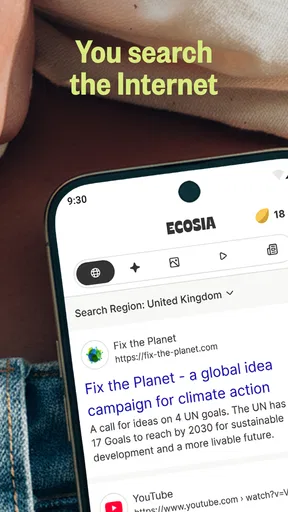
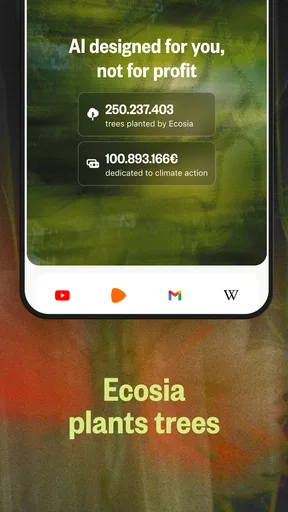
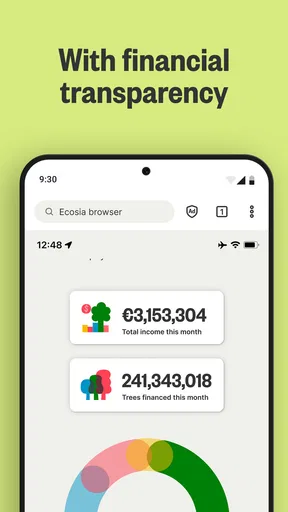
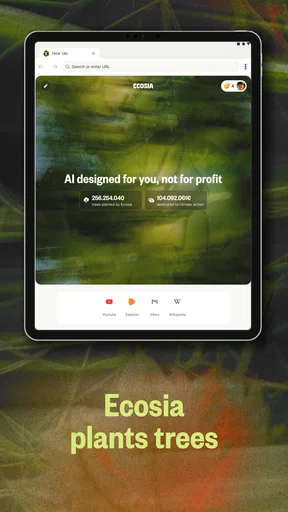
I started using Ecosia as a simple way to make web searches feel a little more connected to something outside my screen. It is a free communication app from Ecosia, built around browsing and searching rather than messaging or calling, and its central idea is easy to understand: ordinary searches support tree-planting work. The app’s store summary says that more than 230 million trees have been planted, which gives the environmental purpose a tangible scale without changing the basic search experience.
What I like most is that it does not ask me to learn a completely unfamiliar routine. I can open it when I need an answer, look for a website, check a product, or settle a quick question, just as I would with a usual search tool. The difference is that the search engine is operated by Ecosia, so the choice becomes part of my everyday browsing rather than a separate donation decision. That makes it especially interesting on a shared phone or tablet, where several people can use the same search habit without needing a complicated household system.
A practical shared-device scenario
In a household, I can imagine Ecosia being used throughout the day by different people for completely unrelated reasons. One person might search for a recipe, another might look up a bus route, and someone else might compare instructions for fixing a small appliance. The app does not need to become a family project for this to work. Each search remains personal and immediate, while the broader environmental aim sits quietly in the background.
That low-effort quality is important. If I had to remember to open a separate charity app, record activity, or transfer money after every search, I would probably stop doing it. Here, the environmental contribution is tied to an activity I already perform. I still need to be comfortable with Ecosia as my search provider, but once that choice is made, the routine is straightforward.
There is also a useful conversation to have when children or guests use a shared device. Instead of presenting the app as a game or a reward system, I would explain that it is a search tool with a tree-planting purpose. That keeps expectations realistic. A search is still a search, and the app is not a replacement for learning about environmental projects directly. It simply makes the default browsing choice feel more intentional.
For a shared tablet in a kitchen, living room, or study area, I find this approach more suitable than an app that depends on one person maintaining a detailed account. The household can benefit from a common default without pretending that everyone has the same interests or browsing history. That said, shared use also makes privacy boundaries more important, because a single device can blur who searched for what.
Setting up the app without confusing personal boundaries
The first decision is whether Ecosia should become my main search option or remain an occasional alternative. I would not switch every device immediately. A better approach is to install it on one phone or tablet, use it for normal searches for several days, and notice where it fits naturally. This makes it easier to judge the results, speed, and general comfort before changing habits across a household.
The app is free and suitable for Everyone, so the entry barrier is low. Its minimum operating-system requirement is version 10, which matters if a shared device is older or has been kept in a drawer for years. I would check the device software before planning a household rollout. If the tablet cannot run the app, the limitation is practical rather than something I would try to work around with an unofficial download.
On a shared device, I would also decide whether the app should be treated as a communal tool or a personal one. If several people use the same browser space, I would avoid assuming that one person’s searches represent everyone else. Keeping separate browsing habits where possible is a sensible boundary, especially when searches involve health, finances, work, or private errands.
This is one area where Ecosia should not be mistaken for a dedicated family-management product. I would not choose it expecting detailed child profiles, household dashboards, or a central way to supervise every search. Its strength is the search experience and the environmental purpose, not account administration. Families that need strong separation or supervision should use the device’s existing operating-system tools alongside it, or choose a search setup designed specifically for those needs.
My most useful setup tip is to make the app the obvious starting point for general searches while keeping specialist tools available for specialist work. For example, I might use Ecosia for ordinary web research but open a separate service when I need a particular map, shopping database, academic index, or workplace search system. This avoids turning environmental preference into an unnecessary obstacle.
How I would coordinate searches in a household
Coordination works best when it is informal. I would tell other household members what the app is for, explain that it is free, and let them decide whether they want to use it. That approach is more respectful than silently changing every person’s search routine. It also gives everyone a chance to mention practical issues, such as a preferred search engine for work or a device that cannot install the current version.
For a family that shares one tablet, a simple agreement can prevent confusion: use Ecosia for everyday searches, keep private searches in a personal profile or device when possible, and do not treat the environmental purpose as permission to inspect someone else’s activity. The app itself does not solve those social questions. The household still needs to set its own expectations.
I also like the idea of using the app as a prompt for occasional conversations rather than constant monitoring. If a child asks why the search page looks different, I can explain the tree-planting model in plain language. If an adult household member prefers another search engine for a specific task, that does not undermine the shared routine. The point is to make a considered default available, not to turn every search into a debate.
There is a trade-off when people share one account or one device. A common setup is convenient, but it can mix suggestions, history, and preferences. I would be careful before allowing a child to use a logged-in adult browsing environment, particularly if the device is also used for work or sensitive purchases. Ecosia may be family-friendly in its age classification, but that does not remove the need for ordinary digital boundaries.
Another practical tip is to test the app with the kinds of searches the household actually performs. Generic searches can feel fine, while a niche request may expose differences in results or presentation compared with a familiar alternative. I would try local information, recipe searches, product research, and a technical question before deciding whether it handles the household’s real needs well.
Age, trust, and what the rating really means
The Everyone age classification makes Ecosia approachable for a broad household audience. I would feel comfortable introducing the idea to a child as an environmentally minded way to search. Still, an age label is not the same as a complete child-safety system. Search results lead to the wider web, so parents and guardians should rely on the device and browser settings they already trust rather than assuming the app filters every possible result.
For younger users, I would begin with shared searches rather than handing over an unsupervised device. That gives me a chance to see how the results behave and to teach useful habits: check more than one source, avoid entering private details, and ask before downloading anything. Those lessons matter regardless of which search engine is installed.
Trust also has an adult side. I want to understand what I am choosing as my search provider and what information might be involved in ordinary browsing. Ecosia’s appeal is not that it removes every digital concern; it is that it gives the search choice an environmental direction. I would still read the app’s current privacy explanations and device permissions before using it for sensitive activity, just as I would with any browsing tool.
The app has an average rating of 4.0 from around 190,000 ratings, with roughly 3,500 written reviews. I read that as a sign of a generally positive but not universally perfect experience. The rating feels believable for a search app: people can appreciate the mission while still disagreeing about result quality, interface preferences, or how it compares with the engine they already know.
Its reach is also substantial, with over 10 million installs. That does not automatically make it the best choice for my particular household, but it does mean the concept has moved beyond a small experiment. Ecosia was released on July 26, 2013, and the current version is 150.0.7871.63.42, so this is an established app rather than a newly launched curiosity.
Where it differs from the usual alternatives
Compared with a mainstream search app, Ecosia’s clearest difference is the reason behind using it. A conventional search tool may be familiar, fast, and deeply integrated with other services I already use. Ecosia asks me to consider the environmental effect associated with choosing its search engine. That distinction is meaningful, but it does not guarantee that every result will suit every task better.
I would choose Ecosia when the search is ordinary and I want my default habit to support tree planting. I would be more cautious with highly specialized research, searches that depend on a particular ecosystem, or situations where I already know another service gives me the exact information I need. Switching between tools is not a failure. It is a sensible way to keep the environmental choice where it helps without sacrificing efficiency when precision matters more.
It also differs from a dedicated environmental app. Ecosia does not require me to browse project updates as the main activity or make the environmental topic the center of every session. That makes it easier to maintain, especially for people who care about sustainability but do not want another daily task. The trade-off is that the contribution can feel less visible. I may use the app for weeks without feeling a direct connection to a particular planting project.
For households, this distinction matters. A family that wants a shared, low-pressure default may appreciate Ecosia more than an app that asks each person to track goals. A household that needs detailed reporting, strict child controls, or specialized search accuracy may find a conventional combination of browser tools and family settings more suitable.
Small habits that make the experience better
I would begin by placing the app where the person who searches most often can reach it easily. Convenience is not superficial here; if opening Ecosia takes extra effort, the household will drift back to an older habit. I would then use it for routine questions first instead of judging it only through difficult searches.
A second useful habit is to separate discovery from verification. Ecosia can help me find a promising page, but I should still compare sources before relying on medical, financial, legal, or safety-related information. The tree-planting purpose does not change the basic responsibility to evaluate what appears in search results.
A third tip is to avoid presenting the app as a moral test. If a family member uses another search engine for work or accessibility reasons, I would treat that as a practical exception. The strongest case for Ecosia is that it can become a comfortable default, not that it must replace every other tool in every situation.
I would also revisit the setup after normal use. If the app works well for recipes, local errands, school research, and everyday questions, it has earned a permanent place on the shared device. If repeated searches require switching elsewhere, I would keep it as an alternative rather than forcing it into a role it does not suit.
My household verdict
After using Ecosia as a search-first communication app, I see its value in the combination of familiarity and intention. It does not ask a household to organize a campaign. It simply offers a different default for browsing, with tree planting attached to the habit. That is a strong fit for people who want a small, repeatable environmental choice rather than another service to manage.
I would recommend it to households that share devices, want an Everyone-rated app, and are comfortable keeping personal boundaries through separate profiles, devices, or existing system settings. It is especially appealing when several people perform lots of ordinary searches and nobody wants to maintain a donation schedule or environmental tracker.
I would skip it as a primary choice if exact results from a particular search ecosystem are essential, if the shared device needs advanced child supervision built directly into the search experience, or if the household cannot use the required operating-system version. In those cases, another search tool may be more practical, with environmental support handled separately.
For me, the best way to use it is uncomplicated: make Ecosia the first stop for everyday questions, keep private activity properly separated, verify important information, and switch tools when a specialized task calls for it. The app works best as a quiet household default, not as a complete family-management system. With that expectation, its environmental purpose feels useful rather than intrusive, and the free price makes trying it a low-risk decision.
Verdict
Strengths of Ecosia: Search to plant trees
- Search revenue helps fund verified tree-planting and restoration projects.
- Clear impact reports show where projects are located and how funds are used.
- Built-in privacy protections limit personal tracking and data profiling.
- Simple interface makes switching from another search engine easy.
- Available on Android, iOS, and desktop browsers for consistent access.
Limitations of Ecosia: Search to plant trees
- Search results may feel less precise for niche or highly technical queries.
- Some searches rely on partner engines, so results can vary by region.
- Tree-planting impact depends on advertising revenue and user search activity.
- The browser can use more battery when many tabs or background features are active.
- Ads still appear in search results, despite the app’s environmental mission.
Similar Picks in This Category
View All
Google Messages
Google LLC4.6

Gmail
Google LLC4.1

Google Meet
Google LLC4.4

Google Chrome
Google LLC4.1

WhatsApp Messenger
WhatsApp LLC4.6

Carrier Services
Google LLC4.2
Frequently Asked Questions
What is Ecosia, and how does its tree-planting model work?
Ecosia is a search engine available through mobile apps and browsers that uses advertising revenue to support climate action, especially tree-planting projects. When you search, ads may generate income for Ecosia, and the company directs a significant portion of its profits toward planting trees and restoring ecosystems through partner organizations. The number of trees supported is an estimate, not a tree planted for every individual search.
Is Ecosia free to download and use?
Yes, Ecosia is free to download and use on compatible Android and iOS devices. You can perform searches without paying a subscription or creating a paid account. As with most free search tools, Ecosia earns money primarily through advertisements displayed with search results. Your experience may therefore include sponsored listings, although you can continue searching normally without purchasing anything or paying to remove advertisements.
Does Ecosia protect my privacy?
Ecosia presents itself as a privacy-focused alternative to major search engines, and it states that it does not create personal profiles for targeted advertising in the same way many large platforms do. However, using any online search service involves processing technical information, such as IP-related data, device details, and search requests. Before installing, review the current privacy policy because data practices and retention periods can change.
How accurate and useful are Ecosia’s search results?
Ecosia’s search results are generally suitable for everyday searches, including news, websites, images, shopping information, and basic research. In many regions, its results are supported by established search technology providers, so the overall experience feels familiar. Nevertheless, result quality can vary by country, language, and topic. Users who rely on highly specialized searches may occasionally prefer comparing results with another search engine.
Can I change my default search engine to Ecosia on Android or iPhone?
Ecosia can be used as a standalone mobile app, and it may also be available as a browser extension or default-search option depending on your device, browser, and operating-system version. On Android, changing the default may be straightforward in supported browsers, while iPhone settings can depend on the browser and region. If the option is unavailable, you can still open the app whenever you want to search.
